From photo to post
- Choose the photo. One subject, face sharp and well lit, the whole body in frame — the outfit in the photo is the outfit on stage.
- Make the video. Upload it on the homepage, pick Person or Pet and pay once (from $9.99). Generation takes several minutes; busy periods can take longer; the vertical MP4 arrives by email.
- Add the sound. Upload the MP4 in TikTok, Reels or Shorts, tap the sound button and search “Love Is Gonna Save Us” by Benny Benassi. Trim it so a hard beat lands on the first point to the sky.
- Write the caption. Say who is on stage, credit the routine to Cheba Man, and add a few trend tags such as #tecktonik and #chebaman.
- Turn on the AI label. Switch on the app's AI-generated label before you share — every major app asks for it on realistic AI video.
- Post it. Share it, then check the post plays with sound; if the sound got muted, swap in another one from the app's library.
Making the video is one step; start it on the homepage → The rest of this guide is everything around it.
Photos that work, photos that don't
The short checklist:
- Face clearly visible, good light
- No group photos — one subject only
- Only yourself, people who agreed, or your own pet — no public figures
Photos that worked on the first take
Each of these was rendered once from the photo shown — every subject is AI-generated.
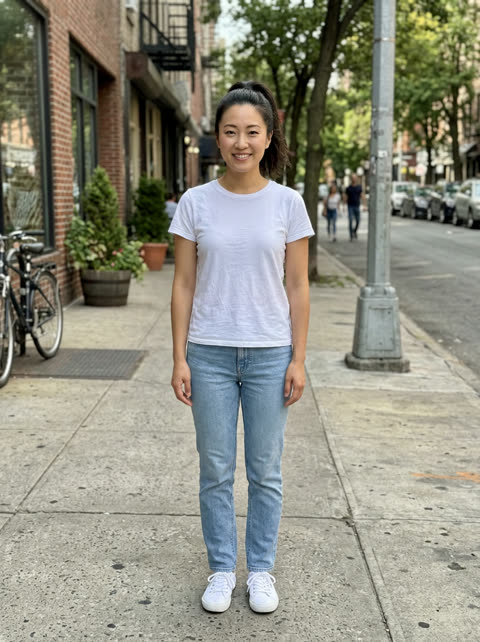
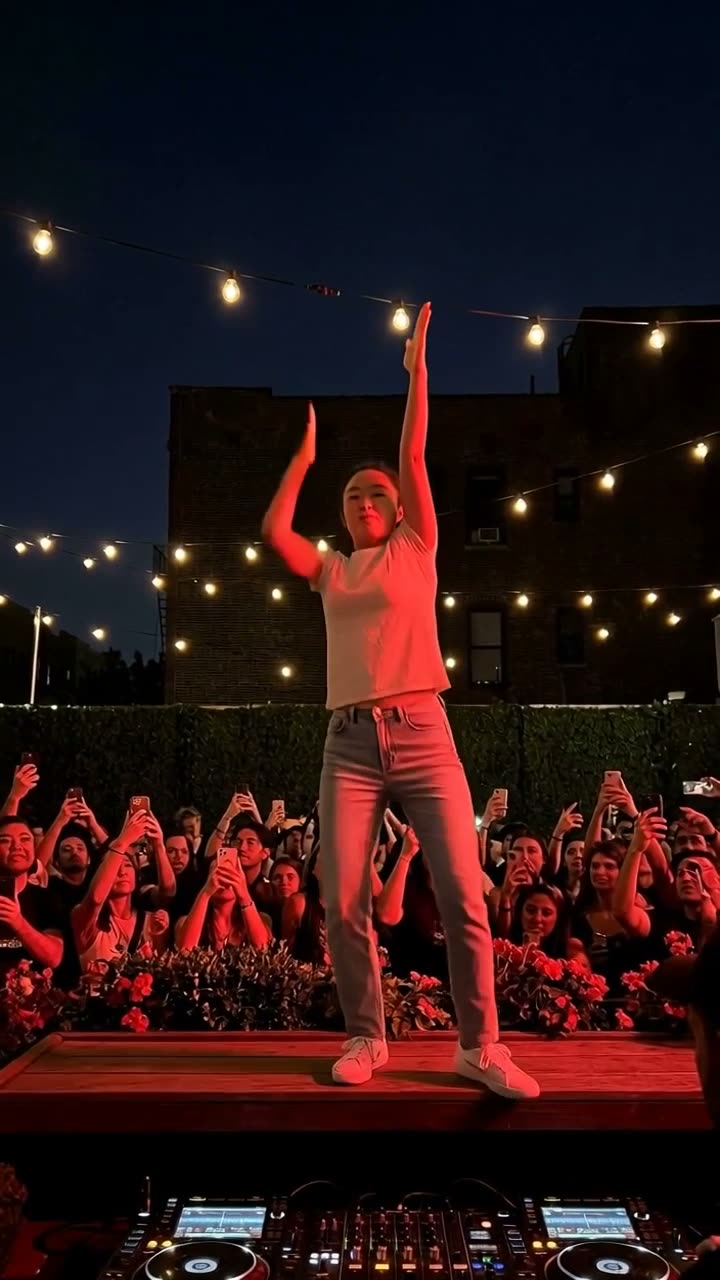

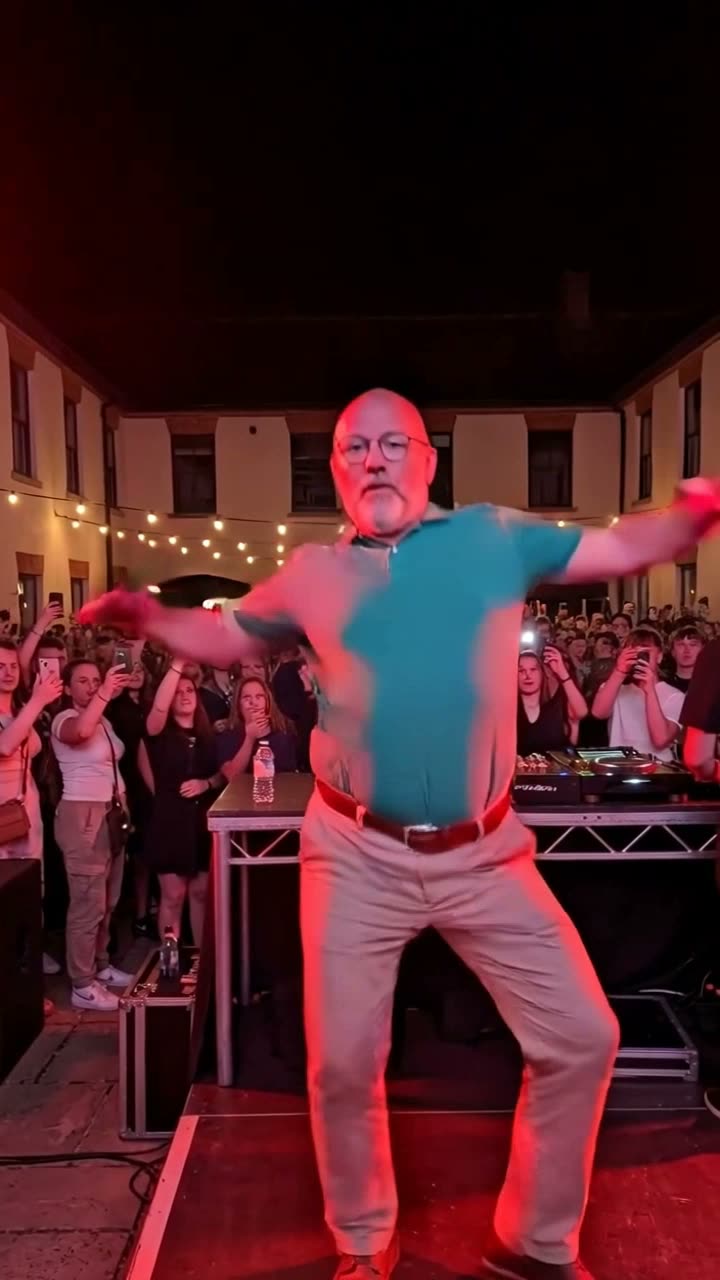

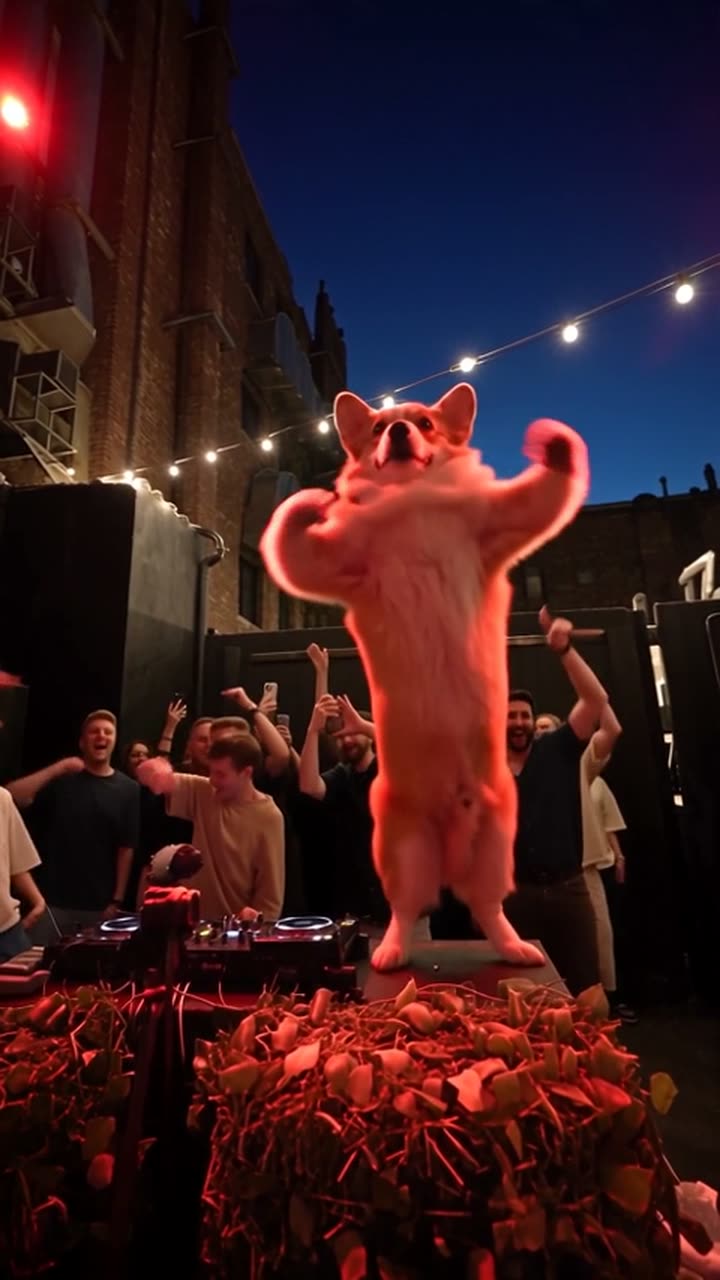
Photos that cause trouble
| Avoid | Use instead |
|---|---|
| Group photo or someone in the background | Crop to one person, or pick a photo where they're alone. |
| Face-only selfie or head-and-shoulders crop | Use a photo that shows the whole body, head to shoes — the routine is all arms and legs. |
| Dark, blurry, or behind a heavy filter or sunglasses | Daylight or a bright room, no beauty filter, face toward the camera. |
| A public figure or someone who didn't agree | Only yourself, a friend who said yes, or your own pet. |
| Pet half out of frame, or two pets | The whole animal, standing or sitting, alone in the shot. |
Add the sound in TikTok, Reels or Shorts
Your MP4 is silent, so the sound goes on in the app — that also keeps your post linked to the trend's sound page, where people browse it. The song is “Love Is Gonna Save Us” by Benny Benassi; here's how we know.
TikTok
Tap + → Upload, pick the MP4, then “Add sound” at the top of the editor and search the song. Or open a Cheba Man trend post, tap the sound name at the bottom, then “Use this sound” and upload your video from there.
Instagram Reels
Tap + → Reel, choose the MP4, then the music note (“Audio”) and search the song. From someone's reel: tap the audio name at the bottom, then “Use audio”.
YouTube Shorts
Tap + → Short, upload the MP4, then “Add sound” and search the song. From a Short: tap the sound name, then “Use this sound”.
Line it up: after picking the sound, open its trim control and slide the start until a hard beat lands on the first point to the sky (0:02). The moves are listed second by second in the routine breakdown.
Caption and hashtags
Three things make a caption work for this trend:
- Who's on stage. “My dad”, “my corgi”, “me” — the joke is the person or pet in the spot, so say it first.
- Credit the routine. The dance is Cheba Man's: tag @cheba_man on Instagram, or write “dance: Cheba Man” elsewhere.
- Three to five tags. Name the trend (#tecktonik, #chebaman, #tecktonikdance), add #ai or #aivideo, and stop there — a wall of unrelated tags doesn't help.
Captions to start from
put my dad on the cheba man stage and he did not miss 😭 #tecktonik #chebaman #aimy corgi learned the tecktonik routine (AI) 🔴 dance: @cheba_man #tecktonikdance #aivideome if i was the one on that stage 🎧 #tecktonik #chebaman #electrodance #ai
Turn on the AI label, app by app
All three apps ask creators to disclose realistic AI-generated video, and an unlabeled one can be labeled for you or pulled. Switch it on before you share (menu names as of October 2026; apps rename them often):
| App | Where the switch is |
|---|---|
| TikTok | On the last screen tap “More options” and switch on “AI-generated content”. The post then shows a “Creator labeled as AI-generated” tag. |
| Instagram Reels | On the share screen open “Advanced settings” and turn on “Add AI label”. Viewers see “AI info” on the reel. The same toggle covers Facebook if you cross-post. |
| YouTube Shorts | In the details screen answer “Yes” to “Altered or synthetic content” (YouTube Studio calls it “Altered content”). |
Putting “AI” in the caption too doesn't hurt — viewers who skip the tag still see it.
When something goes wrong
| What you see | What to do |
|---|---|
| “We couldn't find one full person in that photo” | The Person option needs one clearly visible human body. A face-only crop, a group shot or an animal fails that check. Use a full-body photo of one person, or switch to Pet. The video credit comes back on its own. |
| “The render didn't make it this time” | The render didn't make it this time. Your video credit is back — try again, ideally with a clear, well-lit photo. |
| The face or outfit doesn't quite look like the photo | Small faces, sunglasses and beauty filters are the usual cause. Use a photo where the face fills more of the frame but the whole body still shows. |
| My pet looks a bit human-shaped | Pets are in beta: they dance upright on their hind legs with real paws, and their body comes out a little more human-shaped than a real animal. One pet, whole pet in frame, face sharp. Beta: pets dance upright with real paws. |
| The song doesn't show up when I search | Business accounts on TikTok and Instagram only get a commercial-use music library, which often leaves out chart songs. Switch to a personal or creator account, or start from a Cheba Man trend post and use its sound. Some songs are also unavailable in some countries. |
| The beats don't line up with the moves | Open the sound's trim or “Edit” control and slide the start until a hard beat lands on the point to the sky at 0:02 — the rest of the routine follows the same tempo. |
| The video email never came | Check spam and promotions first. Still nothing after 30 minutes? Write to support@tecktonikparty.com from the address you paid with and we'll send the link. |
| It looks soft after posting | Post the MP4 from the email, not a screen recording or a re-saved copy, and turn on the app's high-quality upload setting if it has one. |
Mind the rights
Use photos of yourself, people who agreed, or your own pet — never public figures. The routine is Cheba Man's: credit him when you post. Background: what Tecktonik dance is.